For anyone who has real product screenshots and needs a hardware-framed image for a landing page, deck, launch post, portfolio or store listing, without downloading a PSD or learning smart objects.
A device mockup generator that starts from your screenshot's shape.
MockupX puts a screenshot inside a real device frame in the browser: iPhone 17, 17 Pro, 17 Pro Max and Air, Google Pixel 7 Pro, Nothing Phone, five iPads, four MacBooks, Apple Studio Display, Studio Display XDR, iMac and three Apple Watch sizes, plus Safari and Chrome browser toolbars and a frameless mode. This page lists every frame with its exact screen opening, explains which capture fits which frame, and covers the details that make a device mockup look wrong: a notch over the menu, a stretched screenshot, a shadow clipped by the canvas edge.
DEVICE SYSTEM
Every screen in contextPhone · tablet · desktop
QUICK ANSWER
Start with the job, then choose the frame.
Pick the frame whose screen has the same shape as your screenshot, not the one that looks nicest. A tall phone capture (about 19.5:9) belongs in an iPhone or Pixel, a 3:4 capture in a 13-inch iPad, a 16:9 capture in a Studio Display or iMac. Then choose the canvas size for where the image will be used, check the top of the screen for the notch or camera cutout, and export PNG or JPEG.
Browse product & device generators →Use a device frame when the hardware tells the viewer something: this is a phone app, this works on iPad, this is a Mac product. When the hardware says nothing, a frameless screenshot or browser frame is usually clearer.
device mockup generator frames you can use today
Every device frame in the editor
The editor groups frames by device type. After you choose a type, a Model menu, an Orientation switch (where the model has both) and a row of finishes appear. The screen opening below is the area, in the frame's own pixels, where your screenshot is placed; its shape is what you should match.
Two more modes sit beside the frames. Screenshot is frameless: your image keeps its own shape and gets rounded corners and a shadow you control. Browser adds a Safari or Chrome toolbar above a web capture without implying any hardware.
| Device type | Models | Finishes | Orientation | Screen opening (portrait or fixed) |
|---|---|---|---|---|
| iPhone | iPhone 17, 17 Pro, 17 Pro Max, iPhone Air | 17: Black, Lavender, Mist Blue, Sage, White. Pro and Pro Max: Cosmic Orange, Deep Blue, Silver. Air: Cloud White, Light Gold, Sky Blue, Space Black | Portrait and landscape | 1206 × 2622 (17, 17 Pro), 1320 × 2868 (Pro Max), 1260 × 2736 (Air) |
| Android | Google Pixel 7 Pro, Nothing Phone | Pixel: Obsidian, Snow, Hazel. Nothing: Black, White | Portrait and landscape | About 19.5:9 (Pixel) and 20:9 (Nothing) |
| iPad | iPad Pro M5 11″ and 13″, iPad Air M4 11″ and 13″, iPad mini (A17 Pro) | Pro: Silver, Space Black. Air and mini: Blue, Purple, Space Gray, Starlight | Portrait and landscape | 2064 × 2752 (Pro 13″), 2048 × 2732 (Air 13″), 1668 × 2420 (Pro 11″), 1640 × 2360 (Air 11″), 1488 × 2266 (mini) |
| MacBook | MacBook Air M5 13″ and 15″, MacBook Pro M5 14″ and 16″ | Air: Midnight, Silver, Sky Blue, Starlight. Pro: Silver, Space Black | Fixed, front-facing | 2560 × 1664, 2880 × 1864, 3024 × 1964, 3456 × 2234 |
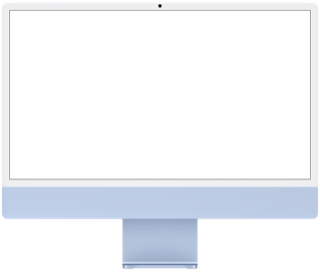
| Desktop | Studio Display, Studio Display XDR, iMac M4 24″ | Displays: light or dark background. iMac: Blue, Green, Orange, Pink, Purple, Silver, Yellow | Fixed | 5120 × 2880 (displays), 4480 × 2520 (iMac), both 16:9 |
| Watch | Apple Watch Series 11 42mm and 46mm, Apple Watch Ultra 3 49mm | 22 case and band combinations for Series 11, 13 for Ultra 3 | Fixed | 374 × 446, 416 × 496, 422 × 514 |
| Browser | Apple Safari, Google Chrome toolbars | Light, Dark | Fixed | Any width; the toolbar sits on top of your capture |
Match the capture to the screen opening
A frame never stretches your image. The Image sizing control has two settings: Fit shows the whole screenshot and leaves bands where the shapes differ; Fill covers the whole screen opening and crops whatever overflows. Either is fine when the shapes are close, and both look wrong when they are far apart. The fix is to start with a capture of the right shape, which usually means taking it on the device the frame represents, or on a simulator or browser window sized to match.
The last row is the one to avoid entirely. A phone screenshot inside a tablet frame suggests a tablet app that may not exist. If you only have a phone capture, use a phone frame or the frameless mode. When you need to adjust a crop, the media crop tool offers Original, 1:1, 4:5, 16:9 and 9:16 so you can trim a capture before it reaches the frame.
| Screenshot | Frame | With Fit | With Fill |
|---|---|---|---|
| 1080 × 2400 Android capture (20:9) | Pixel 7 Pro (19.5:9) | Thin bands of about 2.5% at the sides | About 2.5% trimmed from top and bottom, usually invisible |
| 2048 × 2732 iPad Air 13″ capture (3:4) | iPad mini (about 0.66:1) | Bands totaling about 12% of the height | About 12% of the width cut away, often a sidebar |
| 2880 × 1800 capture (16:10) | MacBook Air 13″ (about 1.54:1) | Bands of about 4% above and below | About 4% trimmed from the sides |
| 1920 × 1080 desktop capture (16:9) | Studio Display or iMac (16:9) | Exact fit | Exact fit |
| Phone capture (19.5:9) | Any iPad | A narrow strip floating in a large screen | Most of the screenshot cropped away |
Check the notch, Dynamic Island and camera cutouts
Every modern frame draws its camera hardware over the top of the screen: the Dynamic Island on the iPhone 17 family, a punch-hole camera on the Pixel 7 Pro and Nothing Phone, and a notch at the top center of every MacBook. The frame image sits on top of your screenshot, so whatever is under that cutout disappears.
Captures taken on the same kind of hardware line up naturally, because the operating system already keeps content clear of the cutout: an iPhone screenshot has the status bar split around the island, and a notched MacBook puts the menu bar on both sides of the notch. Problems come from mixing sources. A web page captured on an external monitor and placed in a MacBook frame will lose whatever sat at the top center of the browser, which is often the address bar or a centered logo. A screenshot from an older phone without an island can have a centered clock or title that the island now covers.
Zoom in on the top 10% of the preview before you export. If something important is hidden, retake the capture on matching hardware, crop a little off the top with the crop tool and use Fit, or switch to the frameless mode. Do not edit the app's interface to move elements out of the way; the mockup should show the layout the product really has.
Frame size and canvas size are different decisions
The device frame describes the object inside the image. The canvas (the editor calls it the output frame) describes the whole exported file. A phone frame on a 1920 × 1080 canvas is a wide banner with a phone in it; it is not a phone screenshot and it will not pass an app store's size check. Choose the canvas for the destination first, then place the device inside it.
A portrait phone on a square canvas leaves about half the width empty. Use that space on purpose: offset the phone with the Right or Left layouts and turn on Optional content for a headline of a few words. A landscape phone capture, such as a video editor's timeline, needs a wide canvas; on a square canvas it shrinks to a thin strip. Switch the frame to landscape, use HD or X post, and check that the bottom controls are still legible.
| Destination | Canvas preset | Works well with |
|---|---|---|
| Landing page hero, slides | HD 1920 × 1080 (16:9) or Presentation 1920 × 1280 (3:2) | MacBook, desktop, landscape iPad, two or three phones side by side |
| Instagram or LinkedIn feed | Square 1080 × 1080 or Portrait 1080 × 1350 (4:5) | One portrait phone with a short headline beside or above it |
| Stories, Reels covers, Shorts | Story 1080 × 1920 (9:16) | One large phone, or a portrait iPad |
| X post, LinkedIn link image | X post 1600 × 900, LinkedIn 1200 × 627 | Laptop or browser frame, a landscape phone |
| Anything else | Custom, 320 to 6000 px per side | Match an exact slot in your own layout |
Choose a finish for contrast, then a background
The frame's job is to outline the screen. A dark finish (Space Black, Midnight, Obsidian, Black) draws a crisp edge around a light interface on a light or mid-tone background. Light finishes (Silver, Starlight, Snow, White, Cloud White) need a deeper background such as Midnight, Ink, Violet or Graphite, otherwise the device edge dissolves and the screenshot looks like a floating rectangle. Bright finishes such as Cosmic Orange, Sky Blue or the iMac colors add a second accent; use them only when the background is quiet.
The editor's backgrounds are Aurora, Sunset, Midnight, Mint, Paper, Ink, Coral, Violet, White, Transparent, Cosmic, Glass blue, Solar and Graphite. Transparent exports a PNG with an alpha channel, which is useful when the device will sit on your own website background. JPEG has no transparency, so a transparent canvas exported as JPEG comes out on white. A frame finish is a visual choice only; it does not change your screenshot and does not imply any relationship with the hardware maker.
Margins, tilt, zoom and shadow
Four controls decide whether a device looks placed or crammed. Padding (3 to 24% of the canvas) sets the breathing room around the composition. Zoom (48 to 400%) scales the devices. Tilt rotates them up to 18 degrees either way. Shadow runs from 0 to 100. Each one changes the bounding box of the device, so recheck the edges after every change.
- Leave visible space between the canvas edge and the nearest device corner, including the shadow. A shadow cut off by the edge looks like a mistake, not a style.
- Tilt enlarges the device's footprint. A phone that fits upright can clip at 12 degrees; reduce zoom slightly after tilting.
- Heavy shadow on a dark background barely shows; on Paper or White a shadow of 30 to 60 usually reads as depth without smudging.
- Drag a device on the canvas to offset it, or use the arrow keys for precise nudges.
- A deliberate crop through a device can work for a hero image, but crop with intent: keep the screen content that carries the message fully visible.
Apple Watch mockups: one glance, one state
Watch screens are not small phone screens. Pick a state with one dominant element (a metric, a timer, an alert, a single action) and let it be the clearest thing in the image. The Series 11 46mm frame has a 416 × 496 screen opening and the Ultra 3 frame 422 × 514, which are exactly the App Store Connect screenshot sizes Apple lists for those watches, so a capture from the watchOS simulator fits without cropping. The 42mm frame's opening is 374 × 446.
Because the watch is small, case-to-background contrast matters more than on any other frame. Pick a band and case that separate clearly from the background, keep marketing text outside the watch face, and check the export at thumbnail size: the screen should still read as a screen, not a dark square. Three watches with the Gallery trio or Depth stack layouts can show three complications or band styles side by side.
The watch frames are Apple Watch only. For Wear OS listings, Google Play asks for plain 1:1 screenshots of at least 384 × 384 with no device frame, extra text, graphics or background, so upload the raw capture there rather than a mockup.
Product mockups without hardware
Many product visuals do not need a device at all. For a SaaS dashboard, a feature announcement or a docs image, the frameless Screenshot mode or a browser toolbar keeps attention on the interface. The principle is the same as with devices: one screen that proves one benefit. Pick the state where the value is visible (a finished report, a filled calendar, a successful import) rather than an empty starting screen.
- Keep campaign copy outside the screenshot. Optional content adds a headline (up to 100 characters) and a description (up to 180) on the canvas, so the interface stays authentic and the copy is easy to translate.
- Replace customer names, emails and real figures with realistic sample data before you capture.
- Use one background family, one corner radius (0 to 38 px) and one shadow level across a set so later images look related.
Review checklist before you share
Review the image in three layers: the screenshot, the screen opening, and the composition around the device. Most problems that reach a published page would have been caught by looking at the exported file at its real size for thirty seconds.
- The screenshot shows the feature the headline promises, with no test data, debug banners or notifications.
- Nothing important sits under the notch, island or camera cutout, and the bottom tab bar or home indicator is not clipped.
- Fit or Fill was chosen deliberately; there are no stray bands or cropped sidebars.
- The device edge is visible against the background in the chosen finish.
- Margins are even, and no shadow or tilted corner touches the canvas edge.
- The exported file has the pixel size the destination expects; the editor shows the output resolution before download.
Make a device mockup in four steps
Work from the screenshot's shape outward to the destination.
- Capture the screen on the device you will show, or a simulator or browser window sized to the same shape, using clean sample data.
- Open the editor, choose the device type, then the model, orientation and finish whose screen opening matches the capture.
- Choose the output frame for the destination, set background, padding and layout, and check the notch area and edges.
- Sign in and export PNG or JPEG at the exact canvas size, then view the file at the size people will see it.
device mockup generator FAQ
Which devices can I use in a MockupX device mockup?
iPhone 17, 17 Pro, 17 Pro Max and Air; Google Pixel 7 Pro and Nothing Phone; iPad Pro M5 11-inch and 13-inch, iPad Air M4 11-inch and 13-inch and iPad mini (A17 Pro); MacBook Air M5 13-inch and 15-inch and MacBook Pro M5 14-inch and 16-inch; Studio Display, Studio Display XDR and iMac M4; Apple Watch Series 11 (42mm, 46mm) and Ultra 3; plus Safari and Chrome browser toolbars and a frameless mode.
Can I mix a phone and a laptop in one image?
Not on one canvas. Each canvas uses one device type, with up to three copies of the same frame, each holding its own screenshot. For a phone-and-laptop image, export each device on a transparent PNG and arrange them in your page or slide tool, or make matching separate images.
Why does my screenshot have bands or look cropped?
Its shape differs from the frame's screen opening. Fit shows the whole image with bands; Fill covers the screen and crops the overflow. Retake the capture at the device's own aspect ratio, or pick a frame whose opening matches.
Is the device mockup generator free?
You can design with every frame without an account. Exporting requires signing in; free exports are PNG or JPEG at the exact canvas size with a MockupX watermark. MockupX Pro removes the watermark and adds WebP and 2× export.
Can I export a device mockup with a transparent background?
Yes. Choose the Transparent background and export PNG (or WebP on Pro). JPEG does not support transparency and will place the device on white.
Do I need a screenshot from the exact model in the frame?
You need one with the same shape, ideally from the same class of device. A capture from any recent iPhone fits the iPhone 17 frames closely. Avoid naming a specific model in your copy if the screenshot did not come from it.