For teams that need Android-framed images for a landing page, a launch post, a pitch deck or a release note, alongside a separate, frameless set for Google Play.
Android mockups from real captures, in a Pixel or Nothing Phone frame.
MockupX has two Android frames: the Google Pixel 7 Pro in Obsidian, Snow and Hazel, and the Nothing Phone in Black and White, each in portrait and landscape. This page explains how to take a clean Android capture, which capture shape fits each frame, how to handle the punch-hole camera and navigation bar, and one thing many Android mockup pages leave out: Google advises against device frames in Play Store screenshots, so the framed version is for your website, deck and social posts, while the Play listing usually works better frameless.
ANDROID APP
Platform context, kept honestPixel 7 Pro · Nothing Phone
QUICK ANSWER
Start with the job, then choose the frame.
Take a capture on an Android phone or emulator with a clean status bar, choose the Pixel 7 Pro (19.5:9 screen) or Nothing Phone (20:9 screen) frame and an orientation, fit the screenshot, and export at the canvas size for your destination. For Google Play screenshots, use the frameless mode at a Google Play preset instead, because Google's listing guidance recommends avoiding device imagery.
Browse product & device generators →An Android frame tells the viewer at a glance which platform they are looking at. It is most useful on a cross-platform landing page, in Android-specific announcements and wherever an iPhone frame would be misleading.
android mockup generator frames you can use today
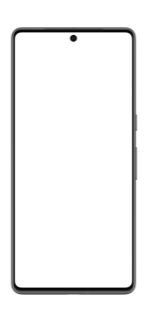
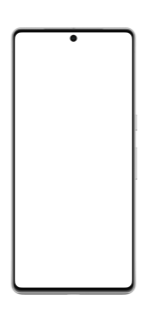
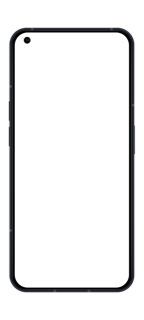
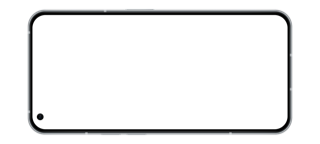
The Android frames and their screen shapes
Both phones come in portrait and landscape. The Orientation switch keeps the finish when you flip it. What matters for fit is the shape of the screen opening.
Android phones come in many shapes, and most current ones sit between 19.5:9 and 20:9, so a capture from almost any recent phone fits one of the two frames within a few percent. A 1080 × 2400 capture in the Pixel frame, for example, loses about 2.5% from the top and bottom with Fill, which normally only trims the status bar padding. Older 16:9 captures (1080 × 1920) are a different shape; they leave wide bands with Fit, so retake them on a newer device or emulator profile.
| Frame | Finishes | Screen shape | Capture that fits exactly |
|---|---|---|---|
| Google Pixel 7 Pro | Obsidian, Snow, Hazel | 19.5:9 (about 2.17:1) | 1440 × 3120, or 1080 × 2340 at the phone's lower resolution setting |
| Nothing Phone | Black, White | 20:9 (about 2.22:1) | 1080 × 2400 |
Take a clean Android capture
Press power and volume down together on the phone, or use the camera button in the Android Emulator's toolbar. From a computer with USB debugging enabled, adb exec-out screencap -p > screen.png saves a full-resolution PNG without touching the phone. The emulator is the easiest way to get a capture at an exact resolution and a clean system state.
- Clear notifications and remove the carrier name; Google's Play guidance asks for exactly this, and it reads cleaner everywhere else too.
- Show full battery, Wi-Fi and signal icons. Many phones offer System UI demo mode in Developer options, which freezes the status bar at a tidy state.
- Use realistic sample content: plausible names, prices and dates, never real customer data.
- Pick one navigation mode for a whole set. Gesture navigation shows a thin handle; three-button navigation shows a bar of icons. Mixing them across images looks careless.
- Turn off developer overlays such as layout bounds or pointer location before capturing.
Punch-hole cameras and the status bar
Both frames draw a punch-hole camera at the top center of the screen, over your screenshot. Android already keeps the status bar clear around the camera, so a normal capture lines up. Problems appear when the top of the screenshot has been cropped, or when a capture from a phone with a corner camera or a notch is placed in these frames and a centered element ends up under the hole.
Look at the top of the preview at full zoom before exporting. If a title or search bar is partly hidden, use Fit rather than Fill, or retake the capture. Rounded screen corners in the frame also trim the four corners slightly, so content that touches a corner, such as a floating action button pinned to the edge, should be checked too.
Device frames and Google Play: use them in different places
Google Play's content guidance for store screenshots lists device imagery among the elements to avoid, because it can become outdated quickly or alienate some users; the same advice applies to the feature graphic. For Wear OS screenshots, a device frame is ruled out explicitly. So a Pixel-framed image is a good fit for your website, a slide or a launch post, but the screenshots you upload to Play Console should usually be the bare app interface.
In MockupX that means building two versions from the same captures: an Android-framed set for marketing, and a frameless set on a Google Play canvas preset (1080 × 1920 for phones) for the listing. The frameless Screenshot mode keeps your background, headline and spacing, so both sets look like one campaign.
Layouts and templates for Android
Android layouts include Centered hero, Right focus, Bottom focus, Tilt right and Close crop for one phone; Balanced duo, Staggered duo and Overlapping duo for two; and Gallery trio, Product fan, Depth stack and Editorial cascade for three. All phones on a canvas share the frame and finish, and each slot takes its own screenshot.
Templates are starting points; change the frame, background, canvas and text after you pick one. The two templates built on Google Play canvases use a phone frame, so switch them to the frameless mode if you follow Google's guidance on device imagery.
| Template | Frame | Layout | Canvas |
|---|---|---|---|
| Android Trio | Pixel 7 Pro, Obsidian | Gallery trio | HD 1920 × 1080 |
| Android Duo | Pixel 7 Pro, Snow | Balanced duo | HD 1920 × 1080 |
| Android Feature | Nothing Phone, White | Right focus, with headline | Feature graphic 1024 × 500 |
| Google Play Story | Pixel 7 Pro, Obsidian | Centered hero | Google Play phone 1080 × 1920 |
Say 'Android', not a model you did not test
A Pixel frame communicates 'Android phone' to most viewers. Naming the Pixel 7 Pro in your copy is a different claim: it says the app was built or tested for that model. Use neutral wording such as 'on Android' in captions unless the screenshot really came from the named device. The same goes for the Nothing Phone: choose it because its look suits your brand, not to imply a partnership.
Android and iPhone side by side
A cross-platform landing page often wants an Android phone next to an iPhone. In MockupX each canvas uses one device type, so make the two images separately with the same canvas, background, padding and zoom, then place them next to each other in your page or slide. Exporting both on the Transparent background as PNG lets you overlap them in your own layout.
Use matching screen states: the same feature, the same sample data, the same time of day in the status bar. If the two apps differ, for example a bottom navigation bar on Android and a tab bar on iOS, show that honestly rather than editing one to look like the other.
Make an Android mockup in four steps
Clean capture first, frame second, destination third.
- Capture the screen on an Android phone or emulator with a clean status bar and sample data.
- Open the editor, choose Android, pick the Pixel 7 Pro or Nothing Phone frame, an orientation, a finish and a layout.
- Set the canvas for the destination and the background, and check the top of the screen around the camera.
- Sign in, export PNG or JPEG, and make a separate frameless version on a Google Play preset if the image is for the store listing.
android mockup generator FAQ
Which Android phones can I use as a frame?
The Google Pixel 7 Pro in Obsidian, Snow and Hazel, and the Nothing Phone in Black and White, each in portrait and landscape. There is no Samsung frame and no Android tablet frame.
Can I use an Android mockup as a Google Play screenshot?
Technically yes, if it is exported at an accepted size, but Google's listing guidance recommends avoiding device imagery in Play screenshots. Use the frameless mode on a Google Play preset for the store and keep the framed version for marketing.
What screenshot size fits the Pixel 7 Pro frame?
A 19.5:9 capture: 1440 × 3120 or 1080 × 2340. Most other recent phones, including 1080 × 2400 captures, fit within a few percent.
How do I take an Android screenshot from my computer?
With USB debugging enabled, run adb exec-out screencap -p > screen.png, or use the camera button in the Android Emulator.
Is the Android mockup generator free?
You can design without an account. Exporting requires signing in; free exports are PNG or JPEG with a MockupX watermark. MockupX Pro removes the watermark and adds WebP and 2× export.
Can I put an Android phone and an iPhone in one image?
Not on one canvas. Export each on a transparent PNG with matching settings and combine them in your page or slide layout.